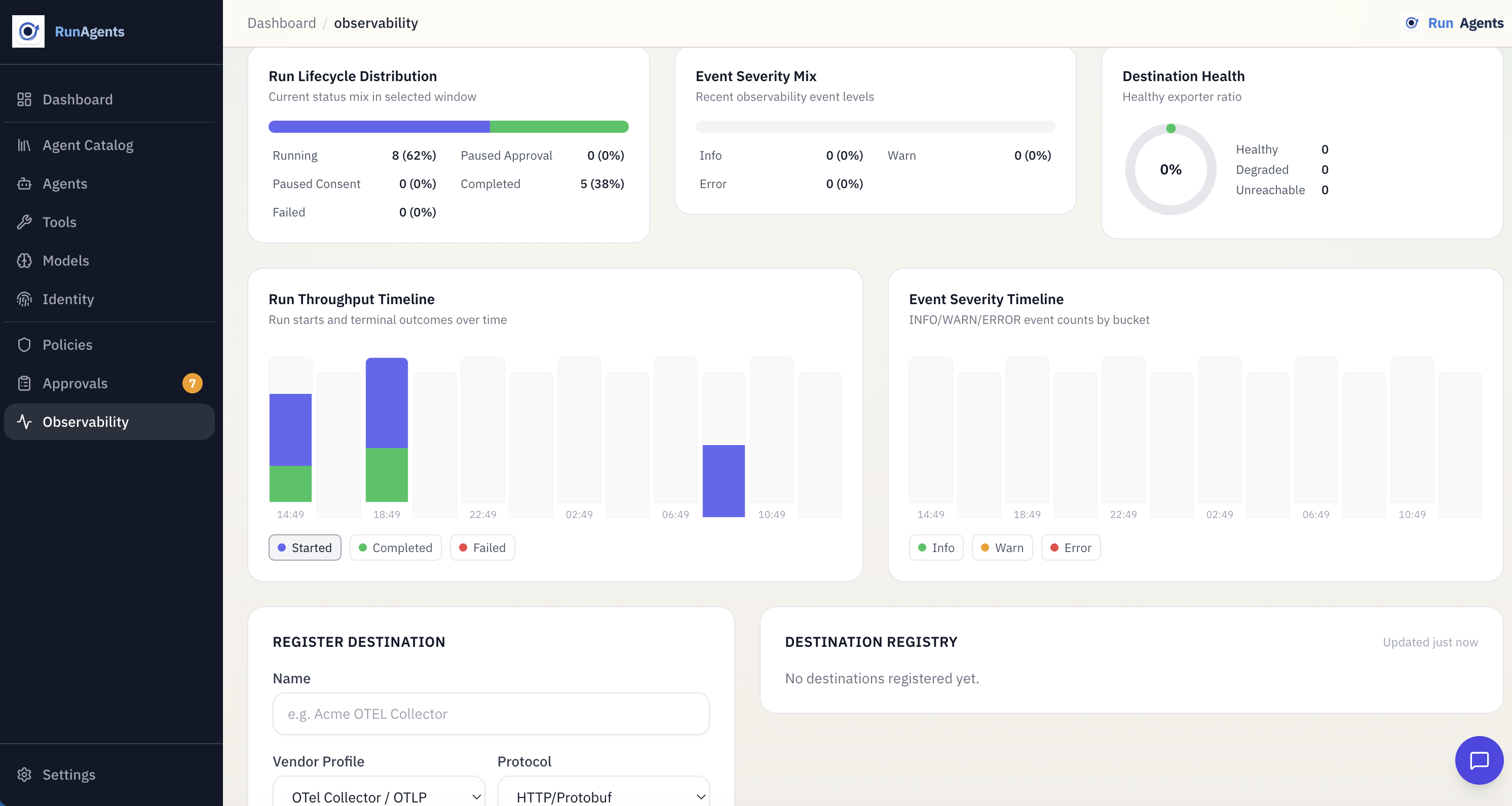
Run Lifecycle
A run represents one end-to-end execution of an agent, from the initial request to completion. RunAgents tracks each run through a defined state machine, logs events, and coordinates approval or consent when a governed tool call cannot continue immediately.
Creating a run
Runs are created when an agent is invoked through:
- a client application
- an API call to the agent's invoke URL
- a background trigger or scheduled invocation
Each run is assigned a unique ID and begins in the RUNNING state.
Run states
| Status | Description |
|---|---|
RUNNING | The agent is actively executing |
PAUSED_APPROVAL | The agent hit a governed action that requires approval |
PAUSED_CONSENT | The agent needs the end user to complete or refresh OAuth consent |
COMPLETED | The agent finished successfully |
FAILED | The agent encountered an error or could not continue |
State transitions
stateDiagram-v2
    [*] --> RUNNING
    RUNNING --> COMPLETED: Agent finished successfully
    RUNNING --> FAILED: Runtime or tool error
    RUNNING --> PAUSED_APPROVAL: approval_required decision
    RUNNING --> PAUSED_CONSENT: consent required
    PAUSED_APPROVAL --> RUNNING: Approved and resumed
    PAUSED_CONSENT --> RUNNING: Consent completed and resumed
    PAUSED_APPROVAL --> FAILED: Rejected or unrecoverable error
    PAUSED_CONSENT --> FAILED: Consent not completed or unrecoverable error
Forward-only state changes
Completed and failed runs are terminal. Paused runs resume into RUNNING only when the blocking condition is resolved.
Events
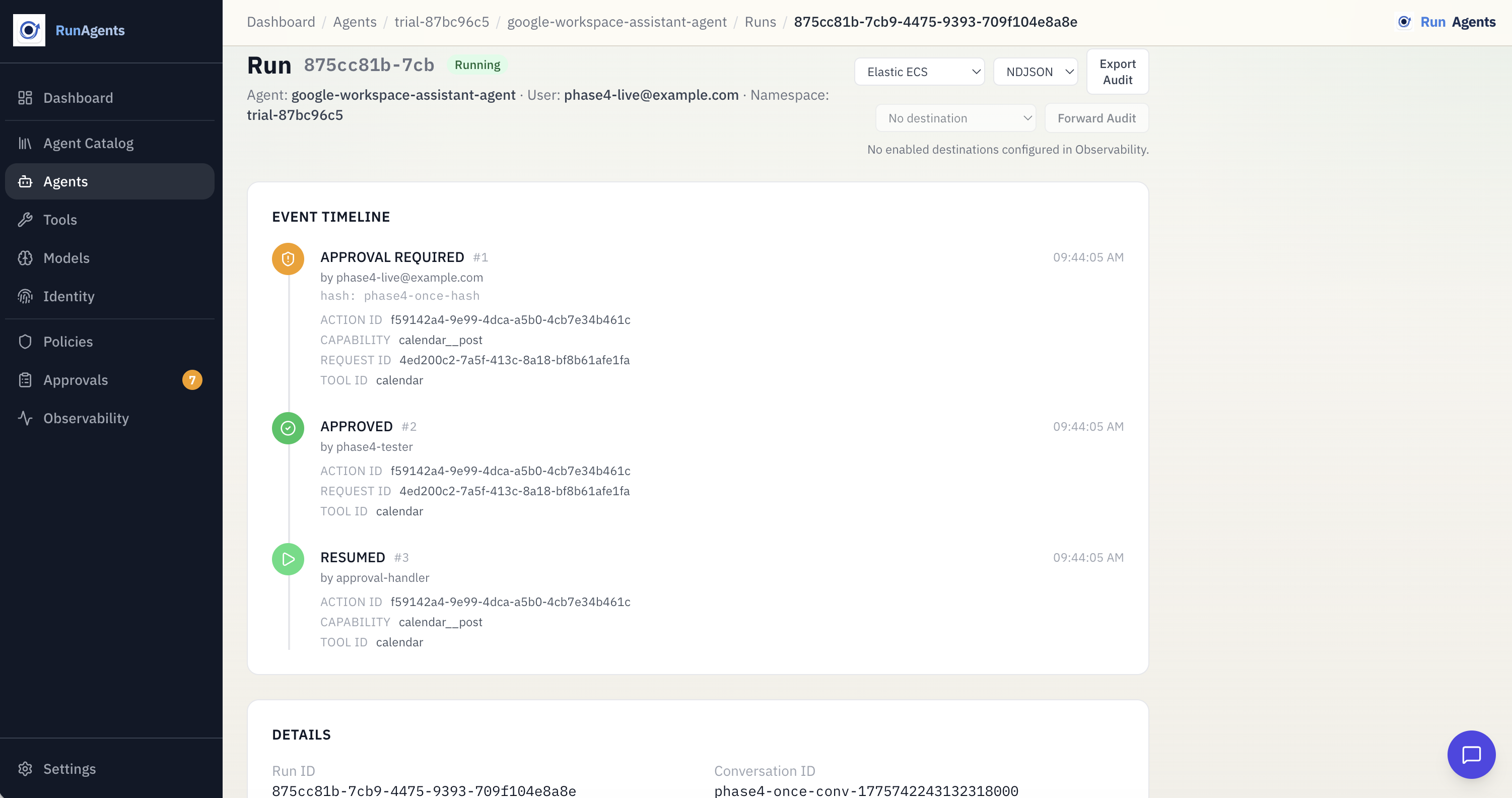
Every run has an ordered event log that records what happened during execution.
| Event Type | Description |
|---|---|
TOOL_CALL | Agent called an external tool |
LLM_CALL | Agent called the LLM gateway |
APPROVAL_REQUIRED | A tool call was blocked pending approval |
CONSENT_REQUIRED | A delegated-user tool call requires OAuth consent |
APPROVAL_GRANTED | An approval request was approved |
APPROVAL_REJECTED | An approval request was rejected |
ERROR | An error occurred during execution |
COMPLETED | Run finished successfully |
Events provide a full audit trail for debugging, compliance, and operator review.
Viewing events
Blocked actions and approval workflow
When an agent calls a tool and policy evaluation resolves to approval_required, the following happens:
1. Request blocked
The platform intercepts the tool call and blocks it because the effective policy decision is approval_required.
2. Blocked action created
A blocked action is recorded with details such as:
| Field | Description |
|---|---|
tool | The tool the agent tried to call |
capability | The specific operation, usually method plus path |
payload_hash | A SHA-256 hash of the request body |
status | Initially PENDING |
3. Run paused
The run transitions to PAUSED_APPROVAL. An APPROVAL_REQUIRED event is recorded with the blocked action details.
4. Operator reviews
Operators can review pending approvals in the console or via the API. Each request shows:
- which agent is requesting access
- which tool and operation
- the payload hash, when available
- when the request was created
5. Approval or rejection
The operator approves the request. RunAgents records a scoped runtime approval and marks the blocked action approved.
The operator rejects the request. The blocked action is marked rejected and the run transitions to FAILED.
6. Automatic resumption
After approval, a background worker resumes the blocked work automatically:
- the blocked action is replayed
- the run transitions back to
RUNNING - an
APPROVAL_GRANTEDevent is logged - the tool call is retried under the approved scope
No manual retry required
Once a request is approved, RunAgents resumes the run automatically.
Consent workflow
For delegated-user OAuth tools, a tool call may pause for consent instead of approval.
In that case:
- the run enters
PAUSED_CONSENT - the user is prompted to complete or refresh OAuth consent
- RunAgents resumes the run automatically after consent is completed
This is separate from approval. A run can require consent, approval, or both over its lifetime depending on the tool and policy involved.
Payload hash integrity
Blocked actions include a cryptographic hash of the original request payload.
This protects the approval workflow by ensuring the resumed call still matches what was originally reviewed.
- the hash is recorded when the action is first blocked
- when the tool call is retried, RunAgents verifies the payload still matches
- if the payload changes, the retried call is rejected
Hash mismatch blocks resumption
A request approved for one payload cannot be reused for a different payload.
Run correlation
When a tool call is blocked, RunAgents correlates the approval request with the run:
run_idis attached to the request when applicable- the blocked action is linked to both the run and the request
- events reference the action ID for traceability
This makes it possible to move from a run event to the approval decision and back again.
Viewing runs
- Agents > Runs shows runs for a specific agent
- the Dashboard shows recent activity across the workspace
- each run shows status, timestamps, and event history
Audit export and forwarding
Run events form a complete audit trail and can be exported or forwarded to external systems for compliance, monitoring, or alerting.