Policy Model
RunAgents evaluates every outbound agent-to-tool call against policy. Access is deny by default, and approvals are triggered by policy rules (approval_required) rather than legacy tool flags.
Runtime Source Of Truth
At runtime, policy decisions are made in this order:
- Tool match: Destination host must match a registered tool, otherwise the call is denied.
- Policy binding lookup: Find policies bound to the agent ServiceAccount.
- Policy rule evaluation (for matching resource/tags + HTTP method):
denywins immediately- otherwise
approval_required - otherwise
allow - otherwise deny
- Capability check: If tool capabilities are defined, method+path must match.
- Auth injection + forward: Only after policy and capability checks pass.
flowchart TD
    start["Outbound tool call"]
    tool{"Tool host registered?"}
    bindings{"Matching PolicyBinding for agent SA?"}
    denyRule{"Matching deny rule?"}
    approvalRule{"Matching approval_required rule?"}
    allowRule{"Matching allow rule?"}
    caps{"Capabilities declared?"}
    capMatch{"Method + path match capability?"}
    permit["Inject auth + forward request"]
    approval["Create approval request<br/>Return APPROVAL_REQUIRED"]
    deny["Deny request (403)"]

    start --> tool
    tool -->|"No"| deny
    tool -->|"Yes"| bindings
    bindings -->|"No"| deny
    bindings -->|"Yes"| denyRule
    denyRule -->|"Yes"| deny
    denyRule -->|"No"| approvalRule
    approvalRule -->|"Yes"| approval
    approvalRule -->|"No"| allowRule
    allowRule -->|"No"| deny
    allowRule -->|"Yes"| caps
    caps -->|"No"| permit
    caps -->|"Yes"| capMatch
    capMatch -->|"No"| deny
    capMatch -->|"Yes"| permit
Current identity scope
Runtime policy evaluation is currently driven by the agent ServiceAccount identity.
Policy Rules
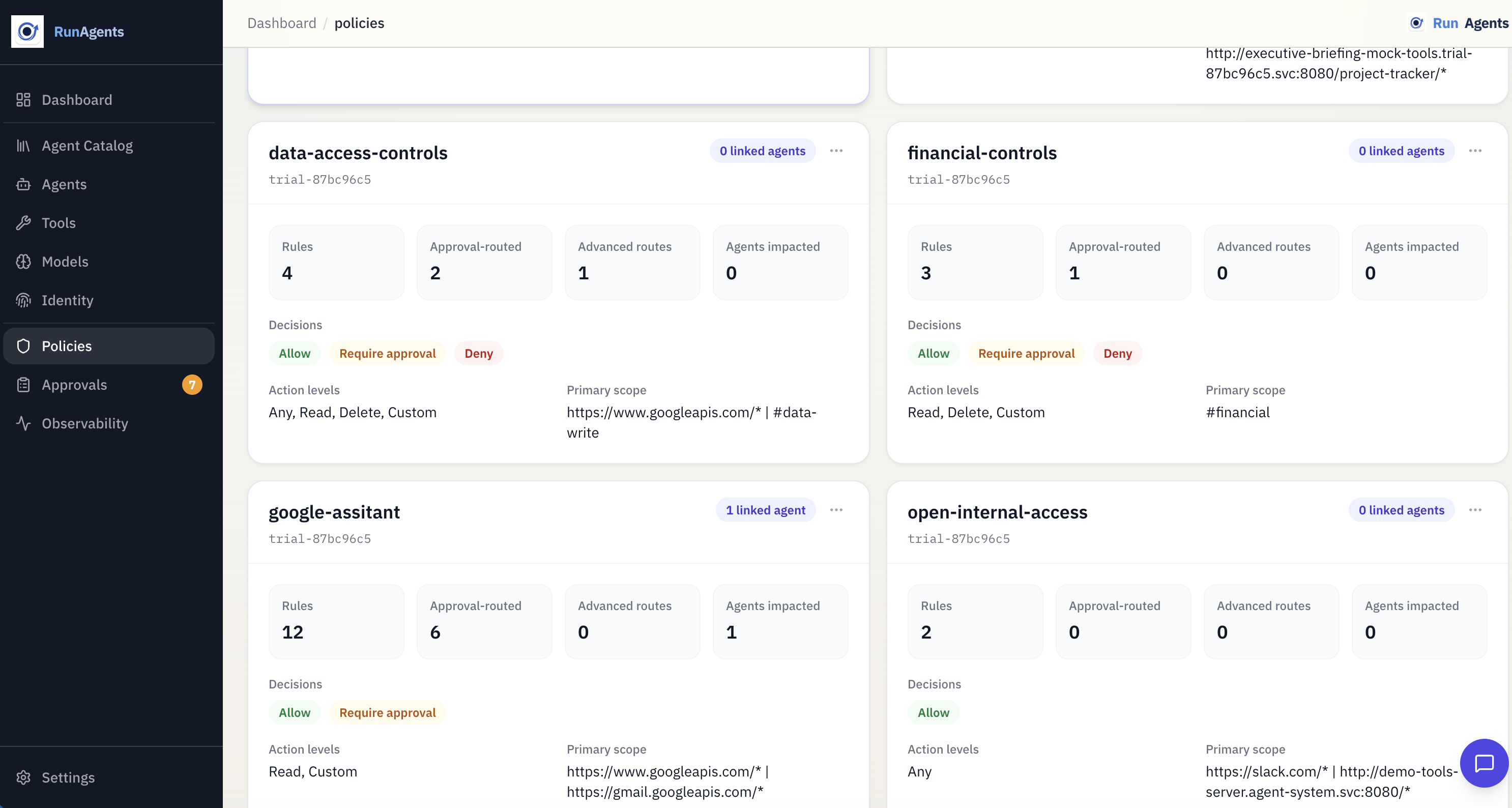
A policy defines access behavior through spec.policies rules.
apiVersion: platform.ai/v1alpha1
kind: Policy
metadata:
  name: payments-access
spec:
  policies:
    - permission: allow
      resource: https://api.stripe.com/*
      operations: [GET]
    - permission: approval_required
      tags: [financial]
      operations: [POST]
    - permission: deny
      resource: https://api.stripe.com/*
      operations: [DELETE]
| Field | Description |
|---|---|
permission | allow, deny, or approval_required |
resource | URL pattern, supports wildcard suffix (e.g. https://api.stripe.com/*) |
operations | Optional HTTP methods. Empty means all methods. |
tags | Optional tool risk tags. Rule matches if any listed tag is on the tool. |
Precedence
Decision precedence is always: deny > approval_required > allow > default deny.
Policy Bindings
A policy binding connects policies to an agent identity:
apiVersion: platform.ai/v1alpha1
kind: PolicyBinding
metadata:
  name: billing-agent-payments-access
spec:
  policyRef:
    name: payments-access
  subjects:
    - kind: ServiceAccount
      name: billing-agent
Use bindings to decide which policies apply to each deployed agent.
Approval Routing In Policy
Approval authority and delivery are configured in spec.approvals on a Policy.
spec:
  approvals:
    - name: financial-posts
      tags: [financial]
      operations: [POST]
      approvers:
        groups: [finance-approvers]
        match: any
      defaultDuration: 4h
      delivery:
        connectors: [slack-finance]
        mode: first_success
        fallbackToUI: true
This controls:
- who can approve (
approvers.groups) - how group matching works (
anyorall) - default approval TTL (
defaultDuration) - where requests are sent (connectors / fallback)
Just-In-Time Approval Flow
When a matching policy rule returns approval_required:
- The call is blocked with
403andcode=APPROVAL_REQUIRED. - An access request is created.
- If the call is part of a run, the run moves to
PAUSED_APPROVAL. - On approval, RunAgents records a scoped runtime approval outcome and resumes work automatically.
- Time-bound approval windows expire automatically.
Capabilities Are A Second Guardrail
Capabilities are operation allow-lists on tools. They are checked after policy allow/approval resolution.
- If capabilities are defined, non-matching method/path requests are denied.
- If capabilities are empty, capability filtering is skipped.
This lets you combine broad policy resources with strict operation-level controls.
About Tool Access Control Fields
Tool governance.accessControl.mode is still present for UI/default posture, but runtime authorization is policy-driven.
governance.accessControl.requireApproval is deprecated for runtime authorization; use policy rules with permission: approval_required.
Recommended Pattern
- Register tools with accurate base URL, auth, capabilities, and risk tags.
- Create policies that express allow/deny/approval-required behavior.
- Bind policies to agent ServiceAccounts during deploy.
- Add approval rules (
spec.approvals) for approver groups and connector routing. - Verify behavior with run timelines and approval logs.